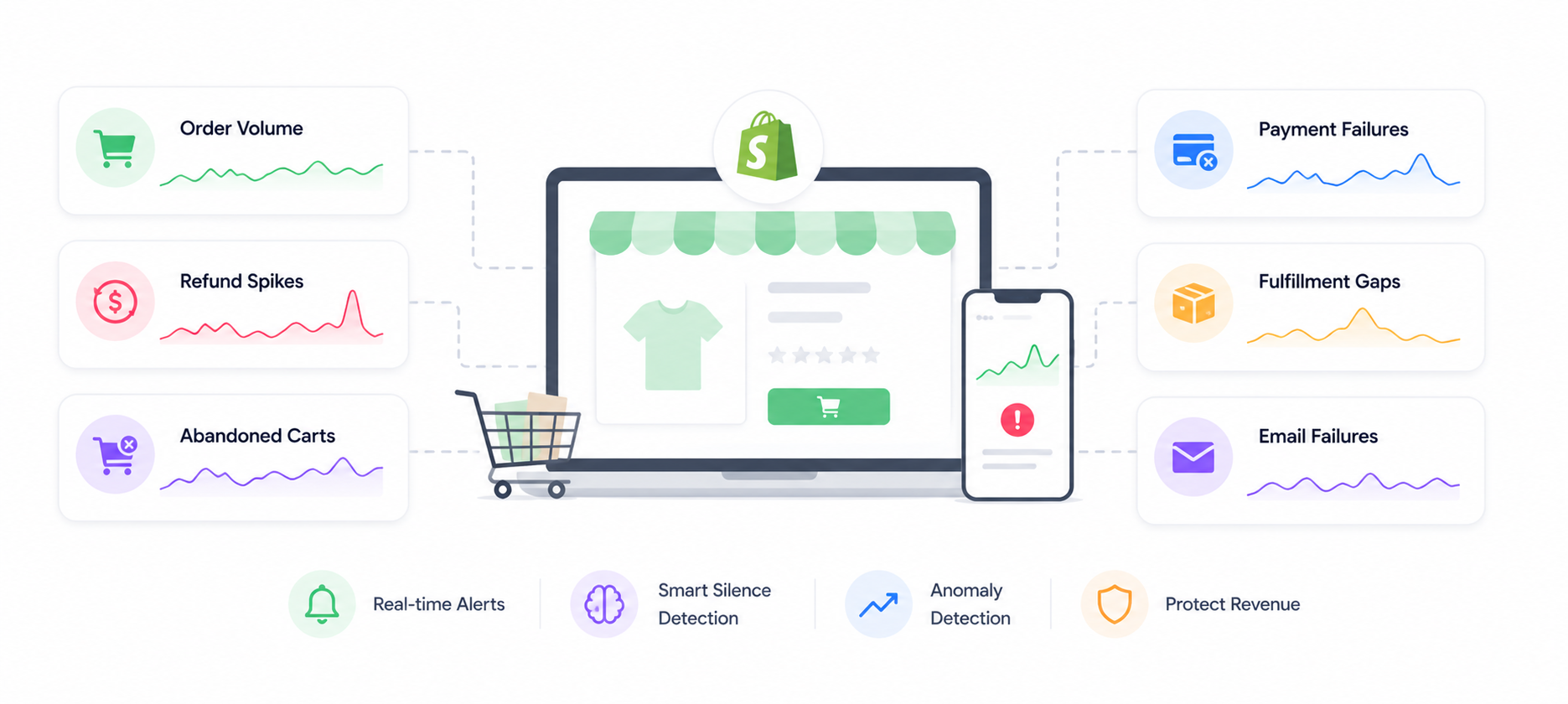
E-commerce Monitoring Guide: Shopify Orders, Refund Spikes, and Abandoned Carts
Your Shopify store can be losing revenue right now and your dashboard will show green. This guide covers what to monitor, what to alert on, and how to catch the silent failures that cost e-commerce stores the most money.
Your Shopify store is online. Your payment processor is connected. Your uptime monitor is green.
But no new orders have come in for 47 minutes on a Saturday afternoon. Your checkout is silently broken for mobile users. Refunds spiked 300% in the last hour. And your abandoned cart rate just doubled.
None of this shows up in your standard monitoring setup. All of it is costing you money right now.
This guide covers what e-commerce monitoring actually means — beyond uptime checks — and how to catch the failures that matter before your customers do.
Why Standard Monitoring Misses E-commerce Failures
Most store owners have some version of this setup:
- An uptime monitor checking if Shopify is responding
- Shopify's built-in analytics dashboard
- Maybe a Slack notification for new orders
This catches almost nothing.
Shopify's uptime monitor tells you the storefront URL is returning a 200. It doesn't tell you the checkout is broken, the payment gateway is down, or the order confirmation emails stopped sending.
Shopify's analytics dashboard shows you aggregates after the fact. It doesn't alert you in real time when something goes wrong.
New order Slack notifications are great when orders are flowing. Completely useless when orders stop — because the silence is invisible.
The failures that cost e-commerce stores the most money are invisible to these tools:
- Order dead zones — no orders for an extended period during peak hours
- Checkout flow breakage — high traffic, zero conversions
- Refund spikes — something is wrong with your product, fulfilment, or fraud controls
- Abandoned cart surges — checkout friction just spiked, or a promo link is broken
- Payment gateway failures — customers are being declined at abnormal rates
- Post-purchase flow failures — orders confirmed but fulfilment never triggered
The Six E-commerce Metrics That Actually Matter
1. Order Volume — Silence Alerts
The most important alert for any e-commerce store is the one that fires when orders stop.
What to monitor: incoming order events over time, compared to your baseline for that time of day and day of week.
What to alert on: no new orders in a window that's abnormally long for your traffic pattern.
Why this is hard to set manually: a Saturday afternoon at 2pm has a very different baseline than a Tuesday at 3am. A fixed "no orders in 2 hours" window creates false positives at night and misses real problems during peak hours.
How NotiLens handles it: Smart Silence Detection learns your store's order frequency pattern automatically — including time-of-day and day-of-week variation. It alerts when the silence is genuinely abnormal for that specific time window, not just when a fixed timer expires.
What order silence catches:
- Checkout flow broken (often after a theme update or app install)
- Payment gateway down or misconfigured
- Promo campaign link pointing to a 404
- Mobile checkout broken after a Shopify update
- Shipping zone misconfiguration blocking orders from a region
2. Refund Rate — Threshold and Spike Alerts
Refunds are a signal. A spike usually means something is wrong — wrong product description, fulfilment error, fraud wave, or a product quality issue.
What to monitor: refund events per time window, refund rate as a percentage of order volume.
What to alert on:
- Refund count exceeds threshold in a short window (e.g. more than 5 refunds in 30 minutes)
- Refund rate spikes above baseline (e.g. refund rate 3x higher than your 7-day average)
- Refunds clustered on a specific product SKU (signals a specific product problem)
What a refund spike usually means:
- A product is being delivered damaged or incorrectly
- A fulfilment error is shipping wrong items
- A fraud wave — stolen cards being tested on your store
- A product description that doesn't match reality (post-marketing-campaign refund surge)
- A payment processor issue causing duplicate charges
Catching a refund spike in 30 minutes means you can pause a product, stop a campaign, or call your fulfilment partner. Catching it 3 days later means hundreds of unhappy customers and a chargeback investigation.
3. Abandoned Cart Rate — Anomaly Detection
Some cart abandonment is normal. A sudden spike is a signal that something changed — and it's almost always a checkout problem.
What to monitor: cart abandonment events relative to checkout initiated events.
What to alert on: abandonment rate spikes significantly above your baseline for that time period.
What an abandoned cart surge usually means:
- A payment method stopped working (Apple Pay, PayPal, a specific card type)
- A required checkout field is broken or throwing errors
- Shipping costs changed and are surprising customers at checkout
- A discount code that's being advertised has expired or stopped working
- Checkout page is slow (performance degradation)
- A required app (address validator, fraud check) is timing out and blocking checkout
A 20% abandoned cart rate is normal. A 60% abandoned cart rate on a Tuesday afternoon means something changed in the last few hours. The delta is the signal — and Smart Silence Detection's anomaly detection catches relative changes, not just absolute thresholds.
4. Payment Failure Rate
Payment declines are normal — insufficient funds, expired cards, bank blocks. A spike in payment failures is not normal.
What to monitor: payment_intent.payment_failed or Shopify's payment failure events, as a rate over time.
What to alert on:
- Payment failure rate exceeds threshold (e.g. > 8% of attempts in the last 30 minutes)
- Failure rate spikes 3x above your baseline
- All failures from a specific payment method (gateway issue)
- All failures from a specific region (international payment processing issue)
What a payment failure spike usually means:
- Your payment gateway has a regional outage
- A gateway configuration change broke a payment method
- A fraud rule is too aggressive and blocking legitimate customers
- A specific card type (Amex, international cards) stopped working
- 3D Secure configuration issue
5. Fulfilment Gap — Broken Flow Detection
An order was placed. It was never sent to your fulfilment system. The customer is waiting.
This is a broken flow — order.placed happened, order.fulfilled never did.
What to monitor: the gap between order placement and fulfilment trigger, per order.
What to alert on: orders that placed but didn't trigger a fulfilment event within your expected window.
What a fulfilment gap usually means:
- Shopify → warehouse integration broke (after an API update or config change)
- Fulfilment app crashed or hit a rate limit
- An order had a property that your fulfilment logic didn't handle (new product type, unusual shipping address format)
- Manual fulfilment queue backed up beyond your SLA
NotiLens's broken flow detection catches every order that starts but doesn't complete the fulfilment flow — not just aggregate gaps, but individual orders that fell through the cracks.
6. Post-Purchase Flow — Email and Notification Failures
Order confirmation emails, shipping notifications, and review requests are part of your customer experience. When they stop sending, customers think their order is lost.
What to monitor: post-purchase email send events relative to order events.
What to alert on: orders without a corresponding confirmation email event within 5 minutes.
What email silence catches:
- Email provider outage or rate limit hit
- Shopify email template broken after a theme update
- Email authentication (SPF/DKIM) misconfiguration causing delivery failure
- Third-party email app (Klaviyo, Omnisend) disconnected after an auth token expiry
Setting Up E-commerce Monitoring With NotiLens
Connect Shopify
NotiLens integrates with Shopify via webhook. In your Shopify admin, go to Settings → Notifications → Webhooks and create webhooks for the events you want to monitor, pointing to your NotiLens webhook URL.
Key Shopify events to monitor:
| Event | NotiLens use |
|---|---|
orders/create |
Order volume tracking, silence detection |
orders/fulfilled |
Fulfilment gap / broken flow detection |
orders/cancelled |
Cancellation rate spike |
refunds/create |
Refund rate monitoring |
checkouts/create |
Checkout initiated tracking |
checkouts/delete |
Abandoned cart tracking |
app/uninstalled |
Critical — NotiLens disconnected |
E-commerce Monitoring Checklist
Before you consider your store properly monitored:
- Order silence — Smart Silence Detection active on order events
- Refund spike — anomaly detection on refund rate
- Payment failure rate — tracked and alerted above threshold
- Fulfilment gap — broken flow detection on order.placed → order.fulfilled
- Abandoned cart surge — anomaly detection on checkout abandonment rate
- Post-purchase emails — silence alert if confirmation emails stop
- App connectivity — alert if Shopify webhook integration disconnects
- SSL certificate — expiry alert at 14 days
- On-call schedule — configured for weekends and peak hours
- Escalation policy — defined for critical alerts (refund spikes, order silence)
- Tested — deliberately triggered a silence alert and confirmed it fired
For founders running both a SaaS and a Shopify store, see The Founder's Monitoring Stack for how to prioritise setup across every layer.
Summary
Your Shopify dashboard shows you what happened. NotiLens tells you what's happening right now — and what's about to cost you money if nobody acts.
Order silence, refund spikes, abandoned cart surges, and fulfilment gaps are the failures that e-commerce stores lose the most revenue to. None of them show up in an uptime check. All of them are catchable in real time with the right monitoring setup.
Smart Silence Detection learns your store's normal patterns automatically — including the fact that Saturday at 2pm looks nothing like Tuesday at 3am. One caught checkout failure during a sale event pays for years of NotiLens.
Try NotiLens free for 7 days — no credit card required.
Frequently Asked Questions
Does NotiLens integrate directly with Shopify? Yes. NotiLens integrates with Shopify via webhook. You configure Shopify to send order, refund, checkout, and fulfilment events directly to your NotiLens webhook URL. Setup takes under 10 minutes. For custom business logic (tracking cart abandonment rate, detecting fulfilment gaps), use the NotiLens SDK alongside the webhook integration.
How does Smart Silence Detection handle seasonal traffic patterns? The ML model continuously learns your traffic pattern including seasonal variation. It doesn't just learn "orders come every 30 minutes" — it learns "on Saturday afternoons in Q4, orders come every 8 minutes, and on Tuesday mornings in January, every 45 minutes." It adjusts its silence threshold accordingly, so you don't get false positives during naturally quiet periods or miss real problems during peak ones.
How do I avoid false positives for order silence overnight? Smart Silence Detection handles this automatically — the ML model learns that 3am is naturally quiet and doesn't alert unless the silence is abnormal for 3am specifically. If you prefer manual control, you can configure active monitoring windows (e.g. only alert during 8am–11pm) and suppress overnight alerts entirely.
Can I monitor multiple Shopify stores from one NotiLens account?
Yes. Create separate topics per store (e.g. shopify-store-uk, shopify-store-us) and route each store's webhooks to the corresponding topic. Each topic gets its own Smart Silence Detection baseline and alert rules.